You can save a file with its existing name or with a different name.
Save a file with its existing file name
- Click the Save file button, (right-hand-side of the tool bar); or

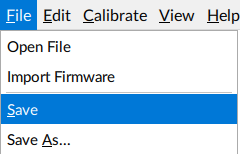
- Click File on the menu bar and select Save from the drop-down menu.
Save a file with a different name
- Click File | Save As… from the drop-down menu. A Save File As dialog opens.
- Select an appropriate folder.
- Enter a name into the File Name text box.
- Click the Save button to finish. The file is saved with a .lci extension.
