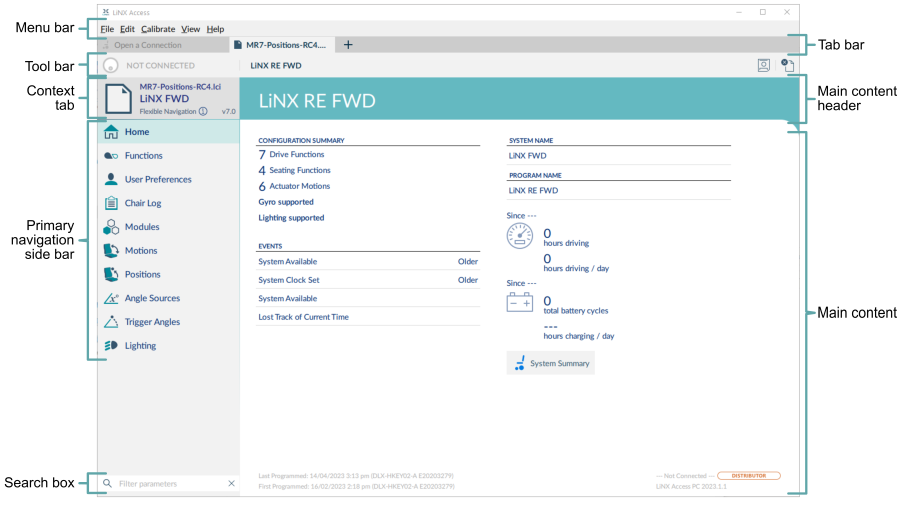
The image above shows the typical layout of the LiNX Access PC tool: the primary navigation sidebar on the left, and the main content area on the right.
The content displayed in the main content area depends on what is selected from the primary (or secondary, if relevant) navigation bar, as shown below.
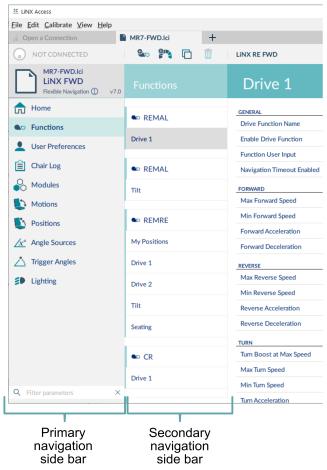
For further information about the primary and secondary navigation sidebars, see Primary and secondary navigation sidebars.
