The Program Name is located in the top-right of the Home view, just below System Name, and can be edited directly there.
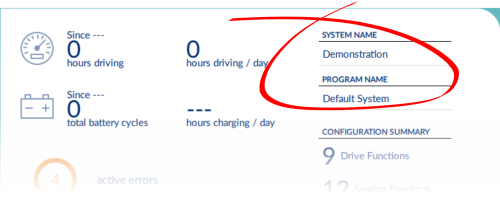
To change the program name:
- Click Home on the primary navigation sidebar.
- Click in the Program Name text box and edit the name.
- Save your changes:
- When working in connection context’s live edit mode: changes to the program name are automatically written to the wheelchair.
- When working in connection context’s bulk edit mode: click Write to write your changes to the wheelchair.
- When working in file context: click File | Save to save your changes to the file.
| NOTE | The system name cannot be changed with a distributor-level LiNX Access Key. |
