This article explains how to select the connection context.
After opening the application, the context selection screen (see image below) displays. It has two tabs:
- Open a connection (left-hand tab): connect to a wheelchair through a LiNX Access Key (LAK) — this is the connection context.
- Open a file (right-hand tab): access a file stored on your computer — this is the file context.
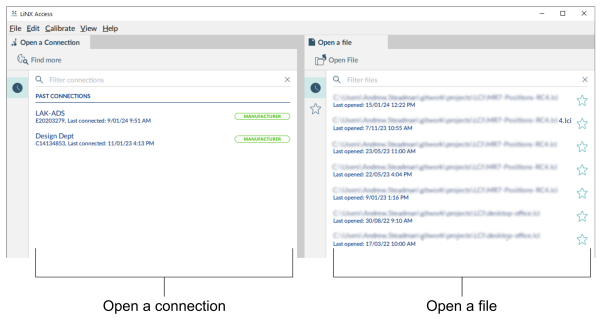
From the left-hand tab, either select a LAK or search for a LAK to program in the connection context.
