This article explains how to enable and configure audible cues on the REM400/REM500.
Audible cues are sounds played through a remote module’s speaker in response to certain system events or navigation actions performed by the user. They are designed to help users understand where they are in a LiNX system.
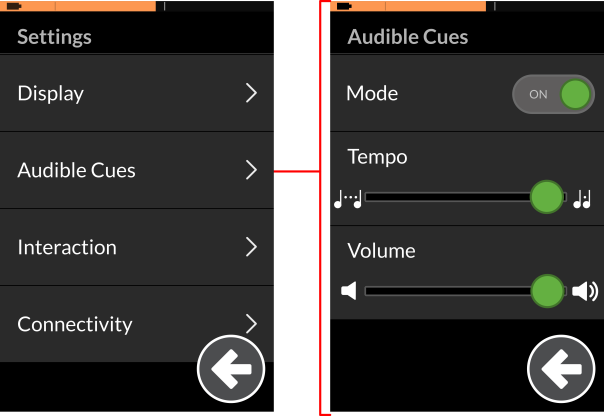
From the Audible Cues menu (see figure right ), the user can enable the audible cues feature, set its tempo, and set its volume.
Enable audible cues
- Open the status and settings screen
- Tap on the Audible Cues menu item.
- Tap on the Mode button to select On.
Set the tempo
Adjust the speed at which the audio cues are played using the Tempo slider. The slowest speed is to the left, and the fastest is to the right.
Set the volume
Set the volume using the Volume slider — you will need to complete this for each remote module.
| NOTE | When setting audible cues on a REM500, two volume settings are displayed: one for the front speaker, and one for the rear speaker. |
