| To disconnect the LiNX Access iOS tool from the wheelchair tap Close (at the top of the screen). If all data is saved, the tool returns to the Connect to Device screen.If any data is unsaved, the following options display: Save — saves the configuration to a file, Write to Chair — writes the configuration to the chair, Disconnect — disconnects without saving or writing, Cancel — return to the configuration. If you click Disconnect, any unsaved data is lost. | 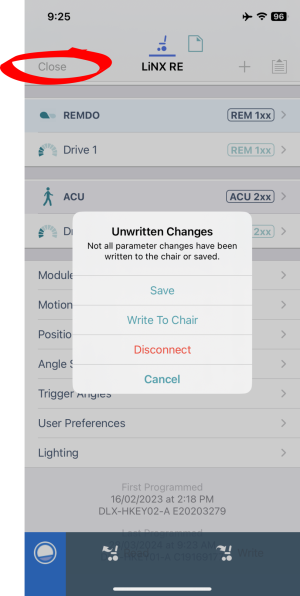 |
Search the LiNX Knowledge Base
How to disconnect the LiNX Access iOS tool from the wheelchair
Updated on July 7, 2026
