The LiNX Access Key is normally identified with the letters ‘LAK’ followed by a series of characters – for example: LAK-L12147605. Each name is unique, but identifying one key from another may become difficult when there are several names.
You can change the names to friendly names using the Set Friendly Name feature:
- Open a Connection tab. You may have to close your connection if you are already in the connection context.
- Select Set Friendly Name from either the menu or by right-clicking on the LAK.
- Enter a new name into the Friendly Name text box.
- Click OK. After clicking OK:
- the wheelchair power-cycles
- the friendly name updates
- the confirmation screen displays
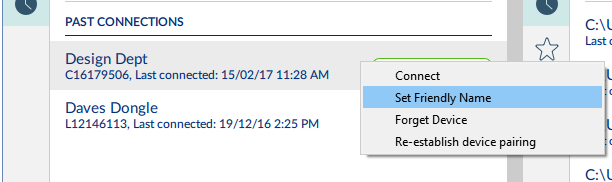
Select Set Friendly Name
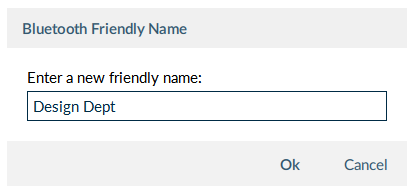
Add friendly name
