This article explains how to configure the connectivity settings on the REM400/REM500 so that you can adjust the cursor speed for a mouse mover function, link a device, and pair a device.
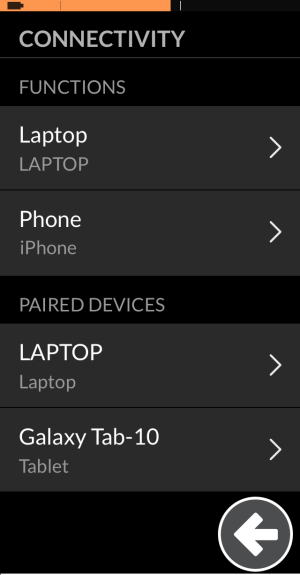
Open the connectivity menu:
- Open the status and settings screen
- Tap on Settings
- Tap on Connectivity
The connectivity menu is split into two sections:
- functions, and
- paired devices
Change the cursor speed
To change the cursor speed for a mouse mover function, select the appropriate function from the FUNCTIONS section of the Connectivity menu and then use the sliders at the top of the function’s menu to change:
- Fast Cursor Speed
- Slow Cursor Speed
- Slow Movement Time
Link a device
To link a device to a function, select the appropriate function from the FUNCTIONS section of the Connectivity menu and then scroll to the bottom of the function’s menu to FUNCTION USES DEVICE. Tap on the Not Linked button and then tap on a device to link to the function.
Pair a device
To pair a device, scroll to the Pair New Device button, which is under the PAIRED DEVICES section of the Connectivity menu.
