This article explains how to adjust the sensitivity of the REM400 / REM500 touch display using the tap-zone setting.
- Open the status and settings screen.
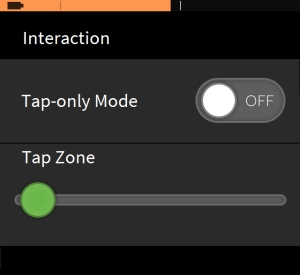
- From the status and settings screen, tap on Settings and then Interaction.
- Using the tap-zone slider
- drag the slider to the left (small tap zone) for users with more dexterity;
- drag the slider to the right (large tap zone) for users with reduced dexterity.
| NOTE | The tap zone does not change the area around fixed inputs (buttons, links etc) — it is solely for the area around the first point of contact when tapping or swiping |
