To delete a function
- Tap the red Delete button to the left of a function name. A Delete button appears on the right.

- Tap the Delete button. The function is deleted.

- Continue editing, or tap Done (top right of the screen) to return to the home screen.
- From the home screen, tap the Write button to write the program to the chair; or, on the Application menu, save your changes to a file.
You can also delete a function from the home screen. To do this:
- Swipe a function to the left.
Duplicate and Delete buttons appear.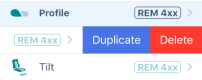
- Tap Delete.
A dialog appears.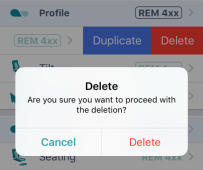
- Tap Delete in the dialog.
