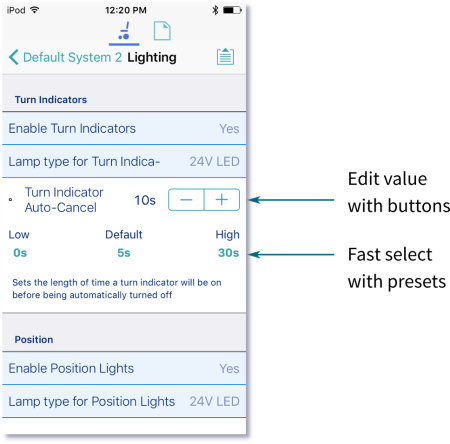
- Tap a parameter’s name.Its details, including the default, low and high values and summary, display.
- Either:
- Increment and decrement the parameter with the plus (+) and minus (-) buttons, respectively.Tap these buttons to change the value in discrete steps, or tap and hold to change them more quickly.
- Or:
- Set the parameter value by tapping the low, default or high button.