Functions are grouped in profiles. You can:
- add and delete profiles
- add, delete and move functions
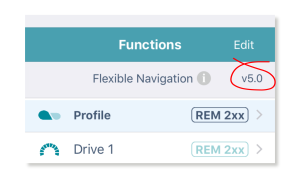
To access this functionality, tap Edit in the Functions title bar on the home screen. (Doing this automatically opens the edit screen in bulk edit.)
To edit the contents of functions and profiles, open them from the home screen.
Just below the Functions title bar, you will see the navigation restriction information and the configuration version. Click on the information link to reveal what navigation restrictions are placed on the system. The information displayed depends on the modules in the system. See the LiNX Systems Installation Manual for more information about navigation restrictions.
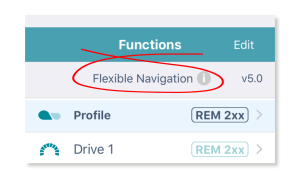
The text to the right of the navigation restriction information link displays the version of the system’s current configuration.