The LiNX Access PC tool has two programming contexts:
- Connection context: access and program a system while directly connected to the LiNX system on a wheelchair
- File context: access and edit a program stored as a file on your device
Viewing the contexts
The LiNX Access PC tool uses tabs to display the contexts:
- The connection context is always under the left-most tab
- All other tabs (to the right of the connection tab) are used for files
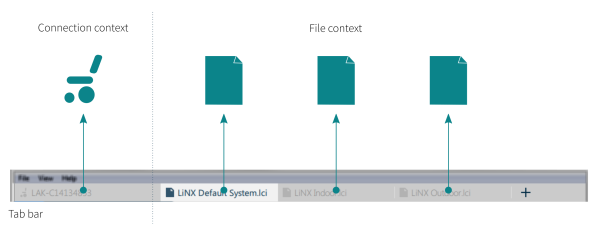
To switch between connection context and file context, simply click the appropriate tab.