This article explains how to:
- select a chair configuration
How to select a chair configuration
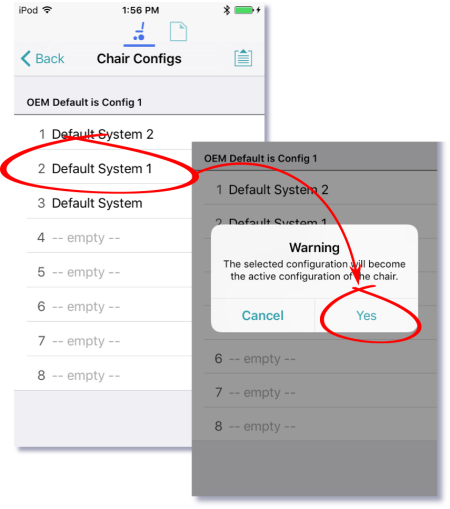
When a new configuration is selected, the system automatically power-cycles before the configuration becomes active. To select a chair configuration (and make it the active configuration for the wheelchair):
- Tap on the Application Menu button and select Restore Alternative Configuration from the menu. The Chair configs screen displays.
- Tap a named configuration.
A warning message displays. - On the warning message, tap Yes to proceed with your selection.
The system returns you to the home screen.