An input module must be connected and Sip and Puff enabled in the module before calibrating.
To enable Sip and Puff:
- From the primary sidebar, click on Modules.
- Click on IN 500.
- Click User Input Configuration, unlock Bulk Edit, and select Sip and Puff from the User Input Configuration drop-down menu.
- Click Write to chair button.
To calibrate Sip and Puff:
- From the menu bar, click on Calibrate | Sip and Puff. The sip and puff calibration screen is displayed.
- Calibrate sip and puff as required, using the sliders on the right of the screen to set the levels as required for hard puff, soft puff, hard sip and soft sip.
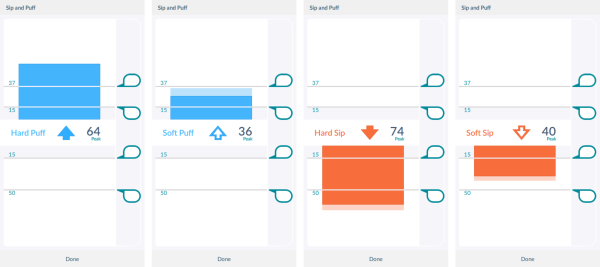
Refer to the LiNX System Installation Manual (GBK54036) for technical details on how to calibrate sip and puff.