To remove a LiNX Access Key from the connection screen, right-click the key and select Forget Device from the menu. It will then not appear in the connection list.
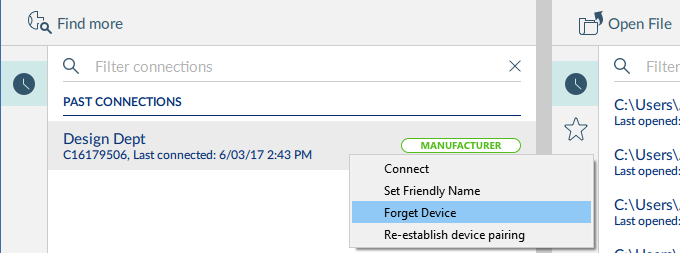
Use the Find more option at the top-left of the connection screen to search for and re-display the key in the list.