Typically, the user interacts with the REM400 and REM500 through a function card. With a function card active, the touch screen includes the following components:
- battery bar
- status bar
- function card (with header)
- navigation button
- function information
These components are described further in the table below.
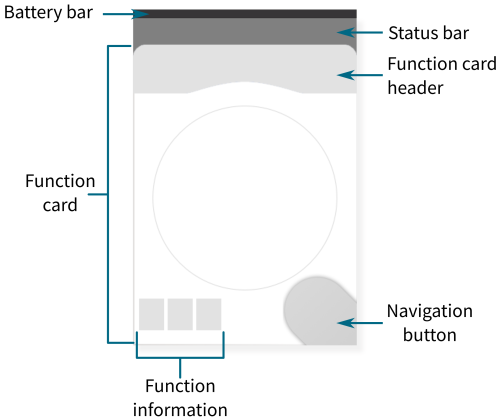
Figure 1: Typical screen components
Table 1: Typical screen components
| Component | Purpose | Further information |
|---|---|---|
 | The battery bar provides information about the state of charge of the batteries. | Battery bar |
 | The status bar displays:the current profile namethe timeicons indicating drive and seating status information | Status bar |
 | The navigation button:displays the current interaction mode;opens the function card preview (short press)opens the status and settings menu (long press) | Navigation button |
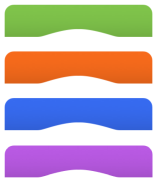 | Function card header displays:function type: green for drive, orange for seating, blue for connectivity, purple for utilityprimary input indicatorfunction card name | Function cards |
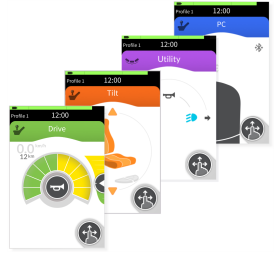 | Function cards provide the user the means to observe and interact with the system. There are four types available: drive, seating, utility and connectivity. | Function cards |
 | Function information displays icons relating to:gyro status;latched driving status;ignore drive lockout. | Function cards |