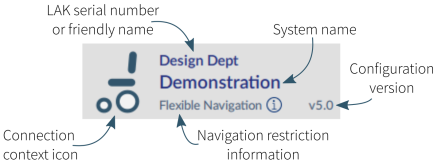
The context tab mode appears on the top, left-hand side of the screen under the toolbar. The information it displays depends on the context (connection or file).
In connection mode, the information displayed is:
- Connection context icon: a wheelchair icon
- LAK serial number or friendly name: friendly name is displayed if it has been entered, otherwise the LAK’s serial number is displayed.
- System name: the name of the system
- Navigation restriction information: click on the information link to reveal what navigation restrictions are placed on the system. The information displayed depends on the modules in the system. See the LiNX Systems Installation Manual for more information about navigation restrictions.
- Configuration version: displays the version of the system’s current configuration.
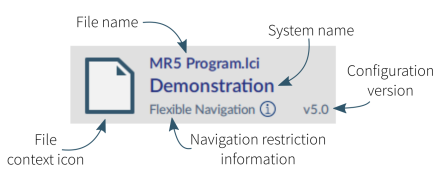
In file mode, the information displayed is:
- File context icon: a file icon
- File name: the name of the current program file
- System name: the name of the system
- Navigation restriction information: click on the information link to reveal what navigation restrictions are placed on the system. The information displayed depends on the modules in the system. See the LiNX Systems Installation Manual for more information about navigation restrictions.
- Configuration version: displays the version of the system’s current configuration.