This article explains how to add a new profile.
To add a new profile
- Tap the Add Profile button.

- Give your profile a name.
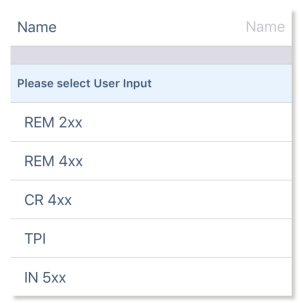
- Select the required User Input.
- Tap Done to return to the Functions Edit screen.
- Add functions to your profile.
- Tap Done (top right of the screen) to return to the home screen.
- From the home screen, tap the Write button to write the program to the chair or, from the Application menu, save your changes to a file.
| NOTE | A profile cannot be written to the wheelchair until it contains functions |