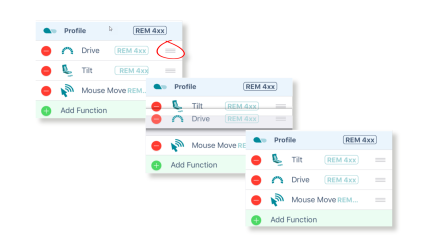
Functions can be reordered by dragging and dropping inside a profile or between profiles.
To move a function
- Tap and hold the three horizontal lines on the right of a function.
- Drag the function to a new location and release.
- Continue editing, or tap Done (top right of the screen) to return to the home screen.
- From the home screen, tap the Write button to write the program to the chair; or, on the Application menu, save your changes to a file.