This article explains how to duplicate a function using the LiNX Access PC tool.
A duplicated function has the same name as the original function. After duplicating a function, give it a unique name.
Duplicating a function using the LiNX Access PC tool
- Select the function you wish to duplicate.
- Click the Duplicate function button.

The duplicated function appears directly under the original function.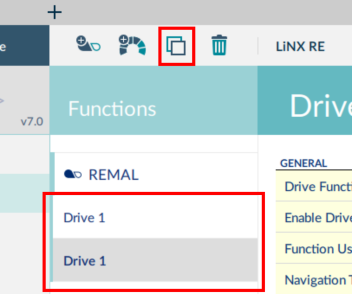
- Edit the duplicated function as required. The duplicated function’s parameters appear highlighted in yellow until the program is written or saved.