To edit the stability settings, access the stability settings screen. To access the stability settings screen:
- Tap the word ‘Stability‘ shown at the lower-right of the speed setting graph.
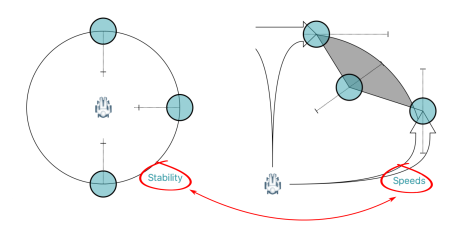
To return to the speed settings screen:
- Tap the word ‘Speeds‘ in the stability setting graph.
Tap and drag the blue circles, in or out, to decrease or increase parameter values, respectively.