There are two options to write a program to a connected wheelchair:
- using Write button (when in bulk edit)
- via the Application menu
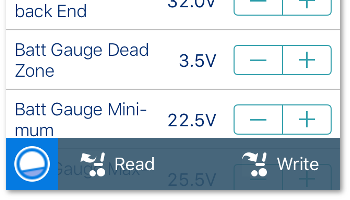
Using the Write button
When in bulk edit, tap the Write button at the bottom of the screen.
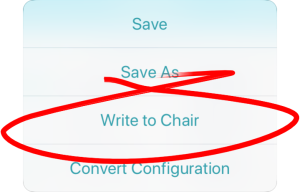
Via the Application menu
- Tap the Application menu.

- Select Write to Chair.
After writing to the wheelchair, the tool power-cycles the system and then automatically reconnects to the system when the power returns.